Synergy HQ · Companion app
Your club site, in every parent's pocket.
Synergy HQ is the companion app for Synergy Sports clubs. Parents and players sign in to their own club and work from the same records the club website runs on: Clear to Play, medical releases, the week's schedule, balances, and recruiting. Anything a parent can do on the site, they can do in the app, and a change in one shows up in the other.
Included for member clubs on iPhone and Android
How it works with your club site
One club. One set of records. Two ways in.
-
01
The club site is the source of truth
Rosters, paperwork, payments, the calendar, and recruiting all live on your club's Synergy Sports site. Staff keep working the desks they already use. Nothing new to maintain.
-
02
The app syncs live with it
Synergy HQ reads and writes the same records. Sign a medical release on the phone and the club desk shows it on file. Clear a balance on the website and the app's Clear to Play card updates. Staff post the week; families see it in the app.
-
03
The club number keeps families on their own club
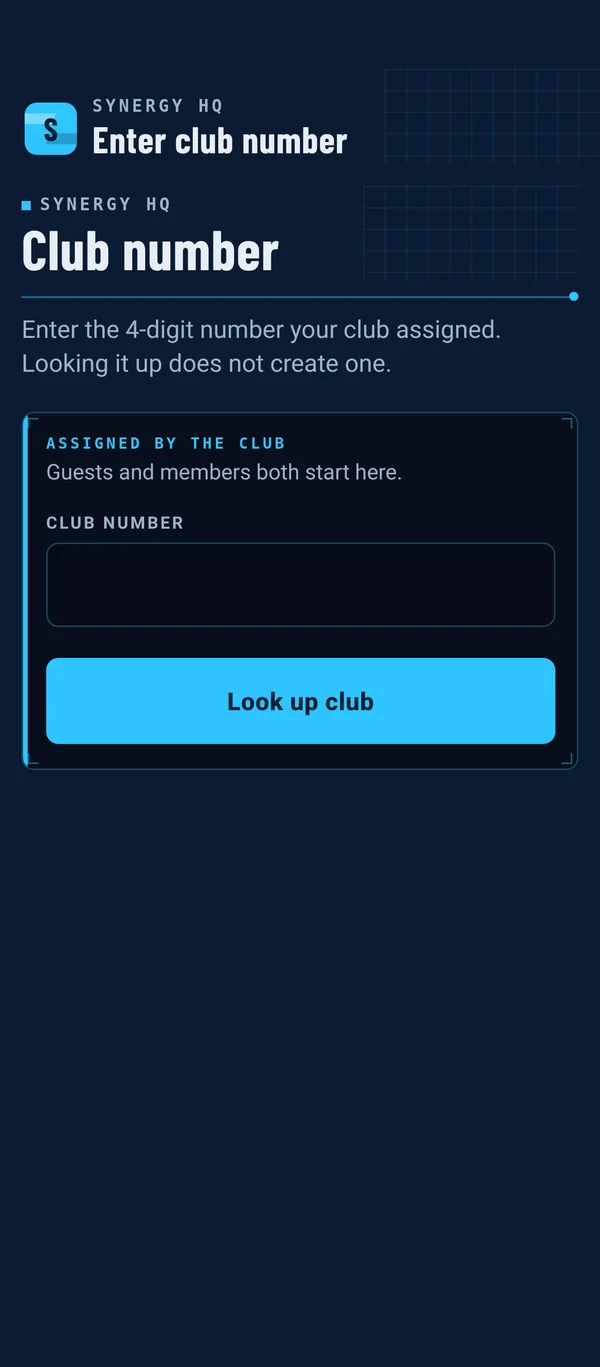
Every club gets its own club number. Families enter it once, then sign in with the same login they use on the club site. They only ever see their own club, their own family, and their own team.
What families do in the app
The parts of club life that happen on a phone.
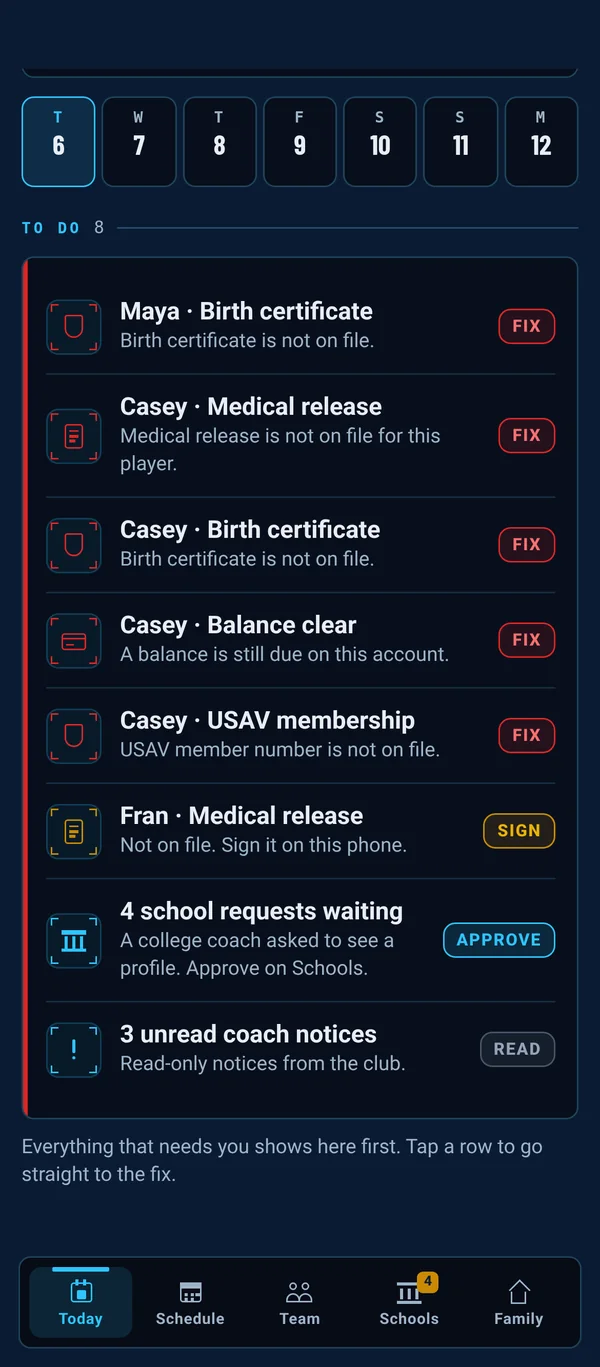
Today: what needs you, first
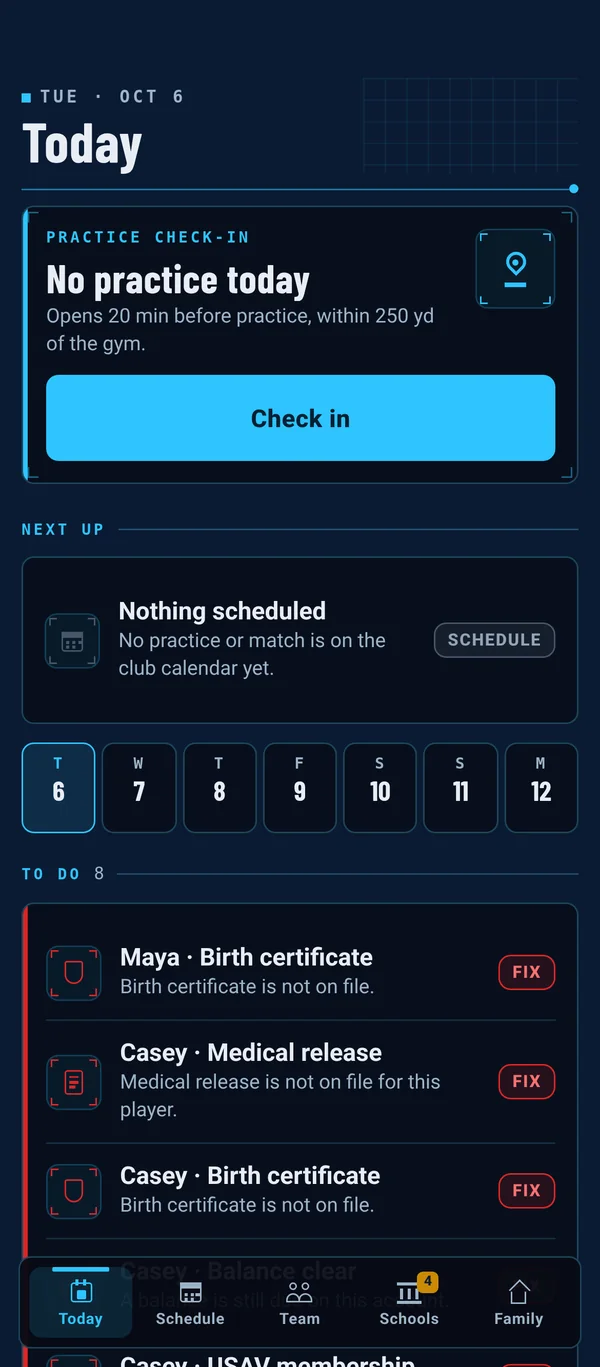
Check in, next up, and the week at a glance. Below that, a To do list for the whole family: a missing form, a balance, a college waiting on approval. Each row is one tap from the fix.
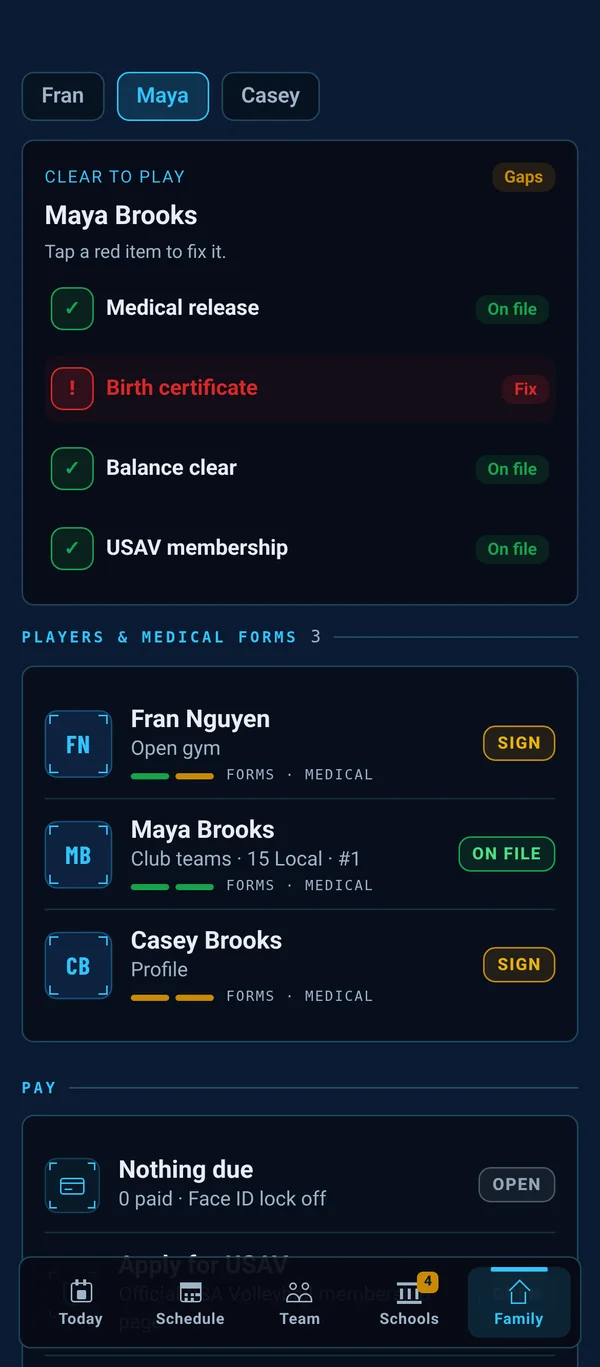
Family: Clear to Play, forms, and Pay
Medical release, birth certificate, balance, and USAV membership, green or red for every player. Tap a red item to fix it. Pay, medical forms, logins, and settings all live here too.
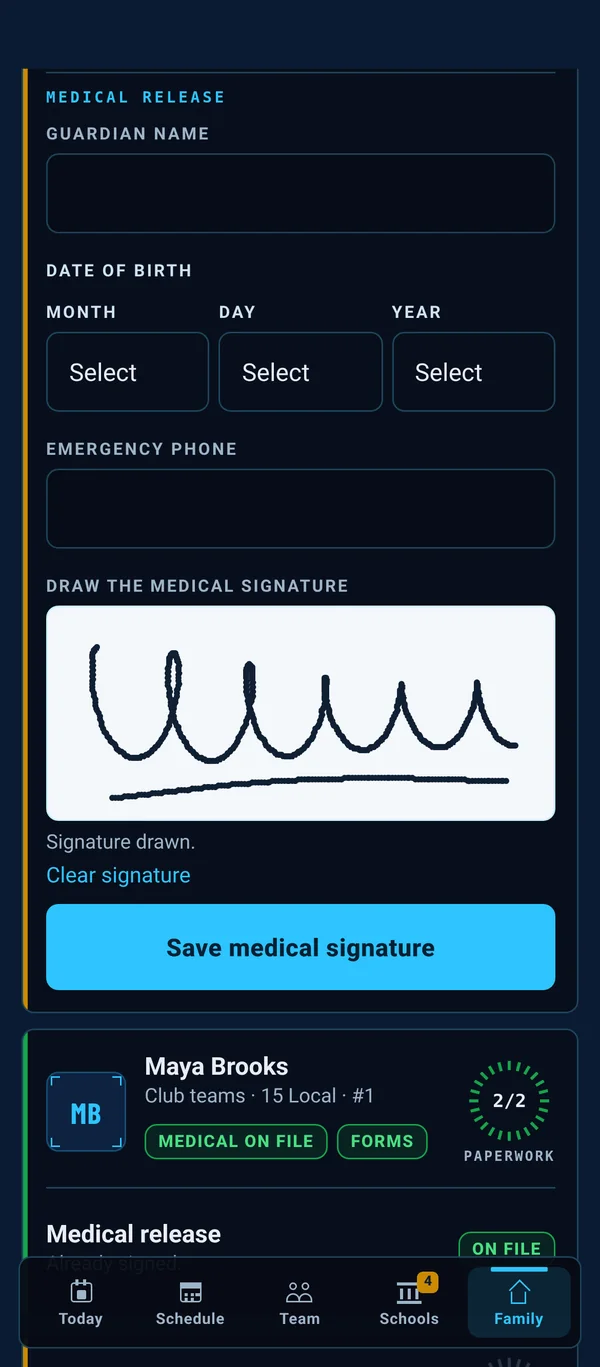
Medical release, signed on the phone
Parents draw the USAV medical release signature with a finger. A typed name doesn't count. If a release is already on file, the app says so and skips it.
Recruiting, with the parent in charge
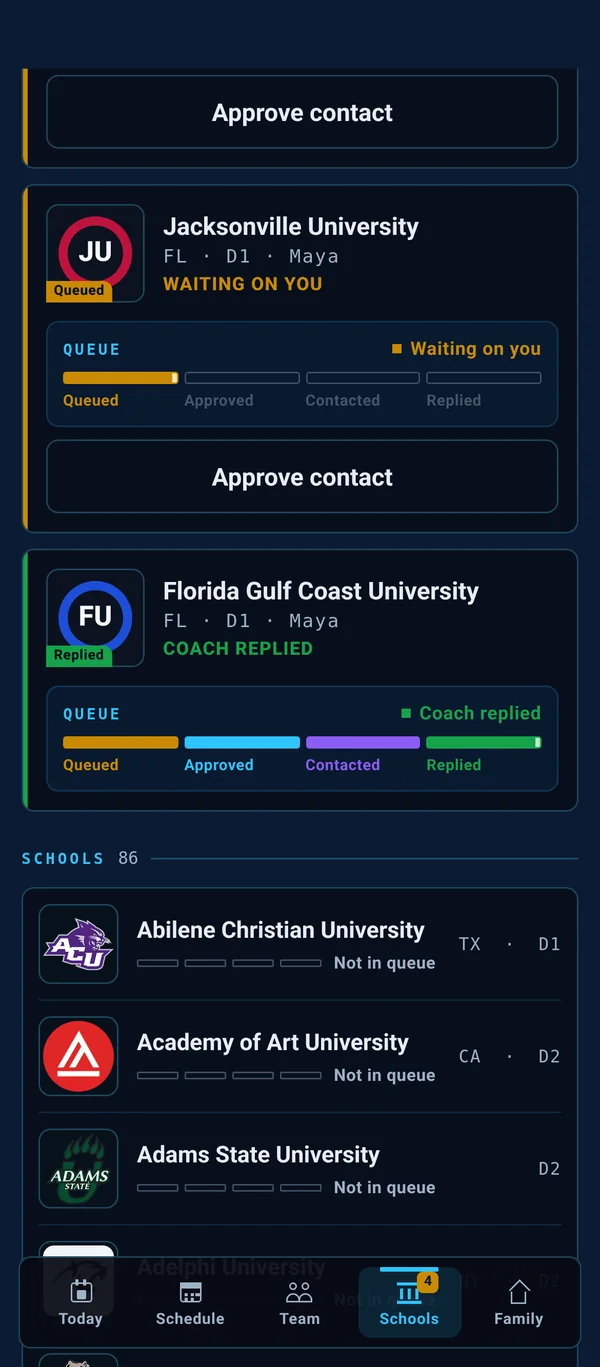
Every college shows its real contact-request status: queued, approved, contacted, replied. A college coach is only contacted after a parent taps Approve.
Team: chat comes first
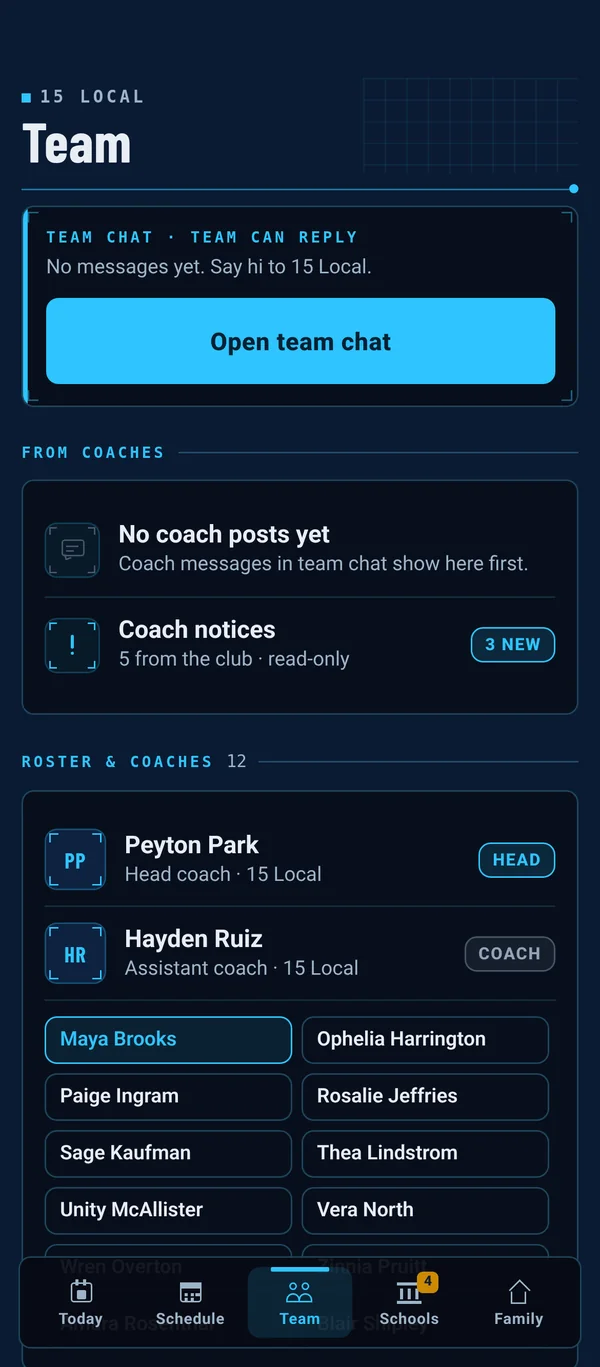
Team chat for roster parents, players, and coaches leads the Team tab, with coach posts and club notices right under it, then the roster and coaches.
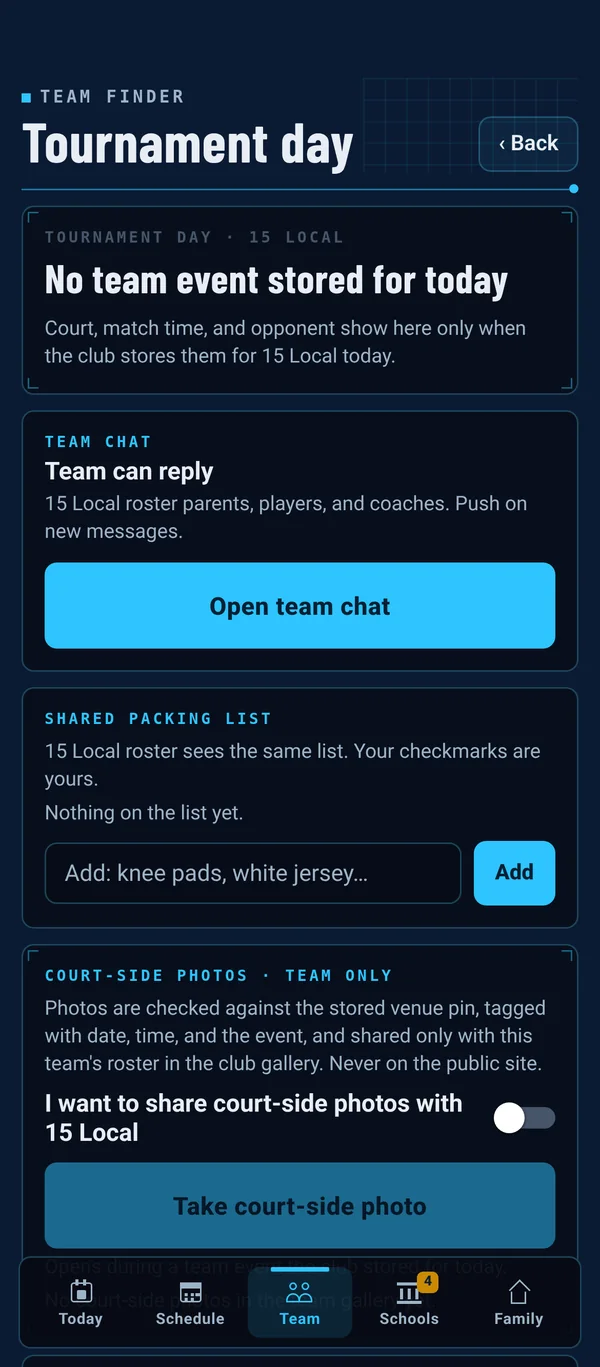
Tournament day, handled
On tournament days, Today becomes a court card: your court, match time, opponent, and directions. Team-only chat, a shared packing list, court-side photos to the team gallery, and opt-in teammate location.
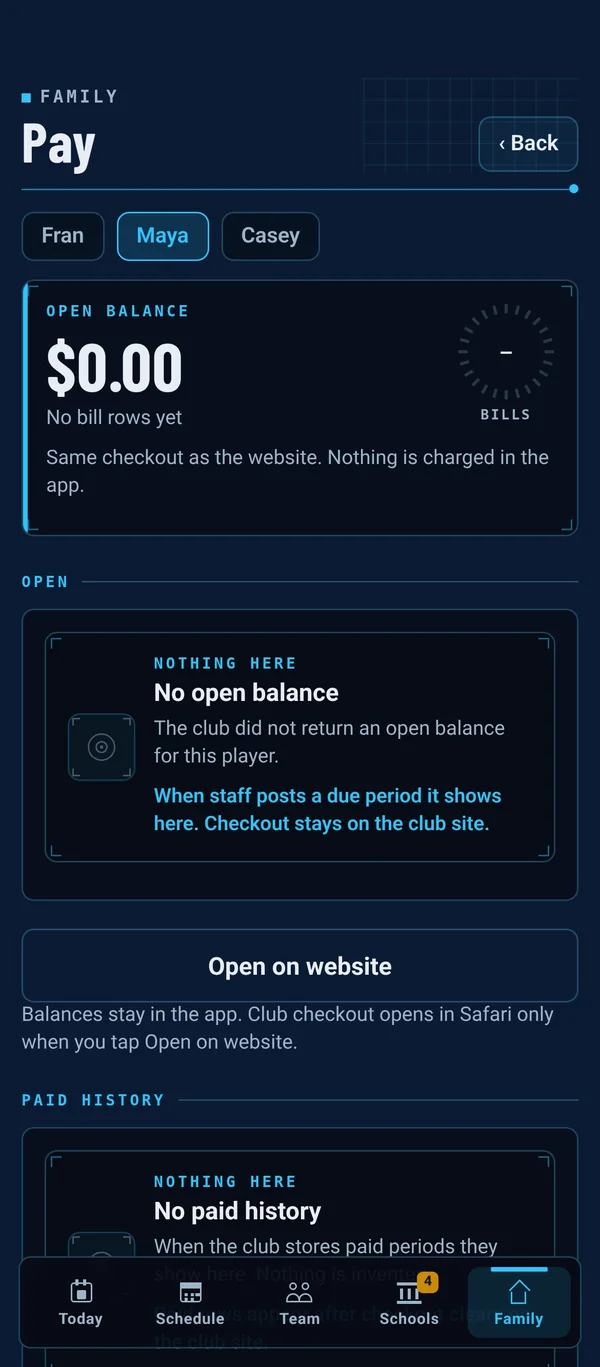
Pay, from the club's own billing
Open balance and paid history come straight from the club's records. Pay sits under Family, with an optional Face ID lock before balances show. Checkout goes through the same club checkout as the website.
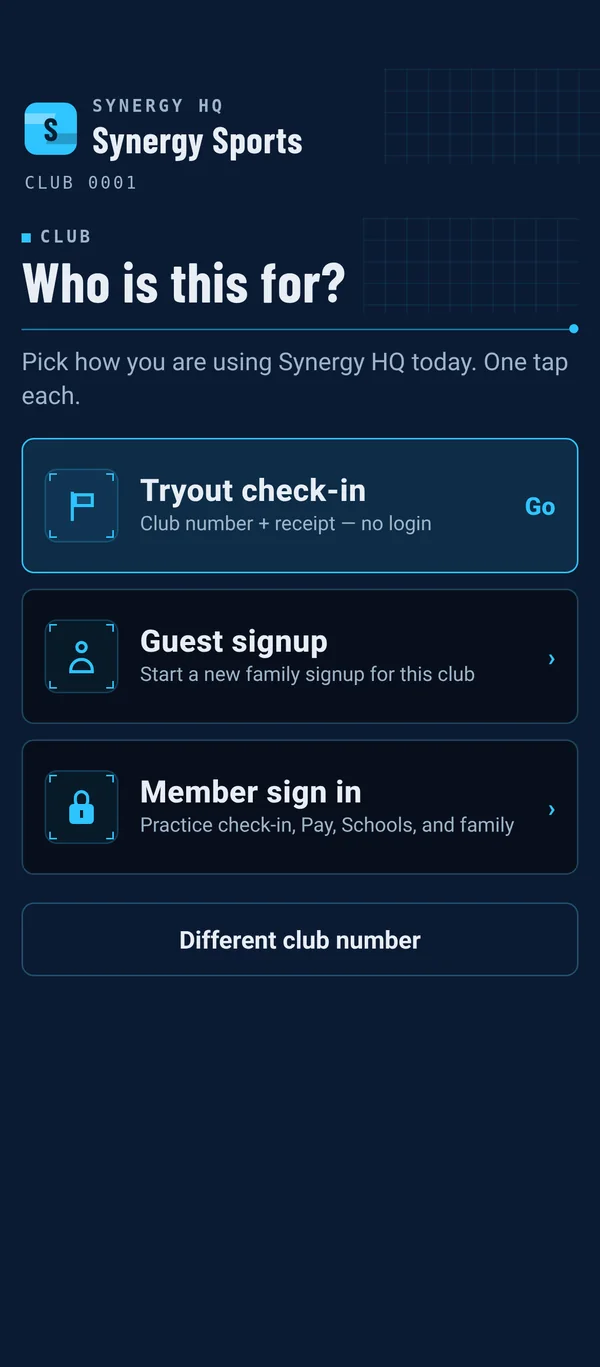
Tryouts and guest signup in one step
Tryout check-in takes the club number plus the signup receipt or QR code. No login. A selfie at check-in, and staff hand off the bib. New families start a guest signup from the same screen.
Also in Synergy HQ
Built for the gym, not the office.
- Geo-checked attendanceA player is marked present only when the phone is at the gym.
- Lock screen, on iPhoneA lock-screen widget, check-in without unlocking, and a Live Activity with time, court, and opponent for the next match.
- Schedule, plus a week stripPractices, matches, and tourneys on the Schedule tab, and the week on Today. Long-press any event for details.
- Parent match statsParents can log stats for players on their own team. Those numbers land on the club site.
- Push notificationsSchedule changes, tournament court and match updates, and new team chat messages.
- Works with bad gym Wi-FiStats and medical forms wait in an offline queue and send when the signal comes back.
- Parents control the loginsCreate player logins, add a second parent, choose what each can open, and turn any login off. All under Family.
- Feels like an appHaptics, Day and Night mode, and the same navy-and-cyan look as your club's Synergy Sports desks.
Screens shown are real Synergy HQ screens, signed in to our staging club with demo families.
Synergy HQ
Bring the app to your club.
Synergy HQ comes with Synergy Sports for member clubs, on iPhone and Android. We'll set up your club number and walk you through the app and the club site together on a Zoom.