Under the hood
A self-healing platform, checked every day.
Synergy Sentinel, our self-healing system, detects and fixes many server problems on its own. Every day AI-assisted automated checks send simulated families through every sport to find what's confusing, then apply usability fixes automatically. Behind that sits a live command center, nightly off-site backups and built-in security. Here's what runs behind the scenes, and what it means for you.
What makes Synergy different
Built in, not bolted on
Running now
Most club platforms stop at registration. Synergy keeps watching, testing and fixing itself after families sign up.
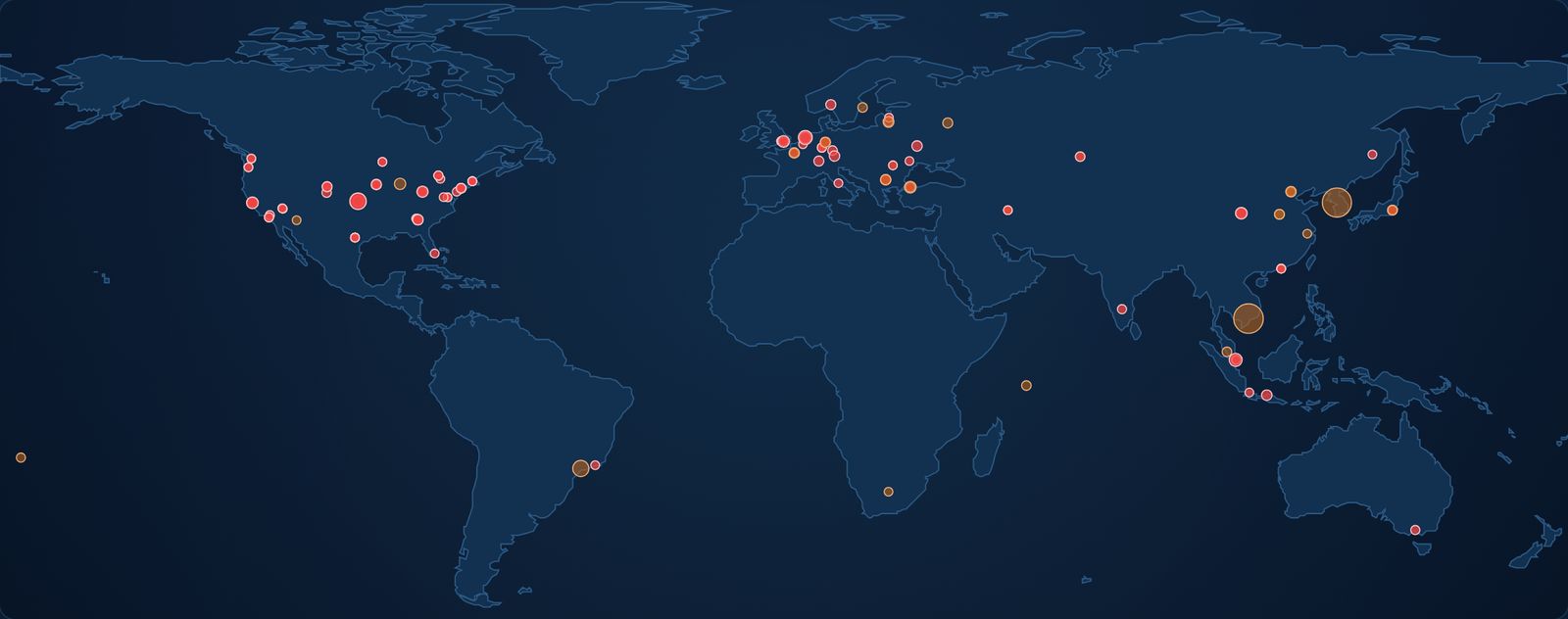
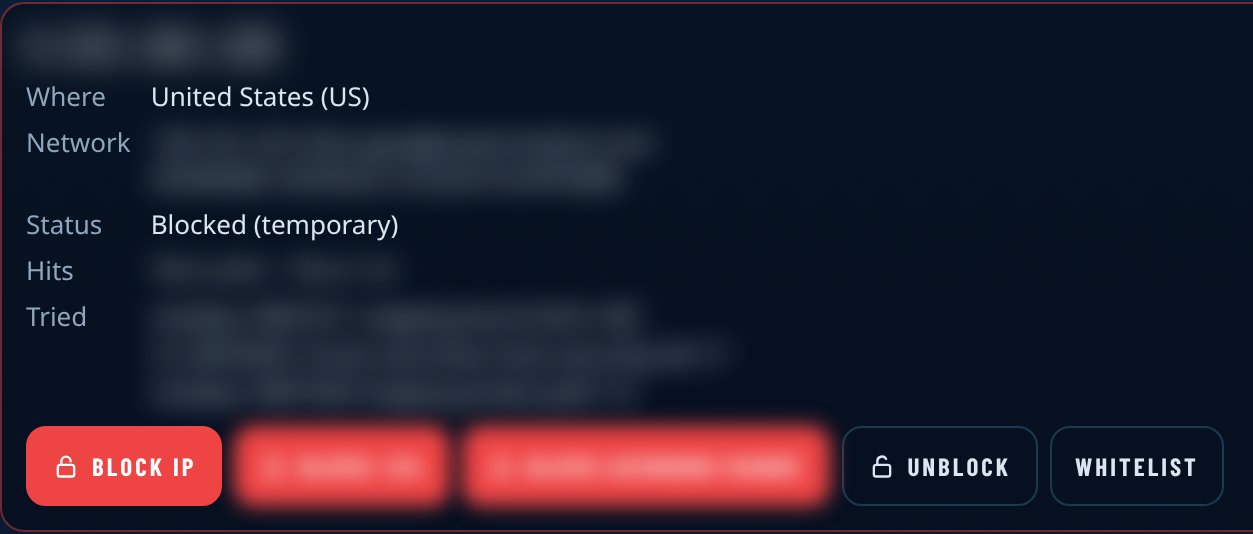
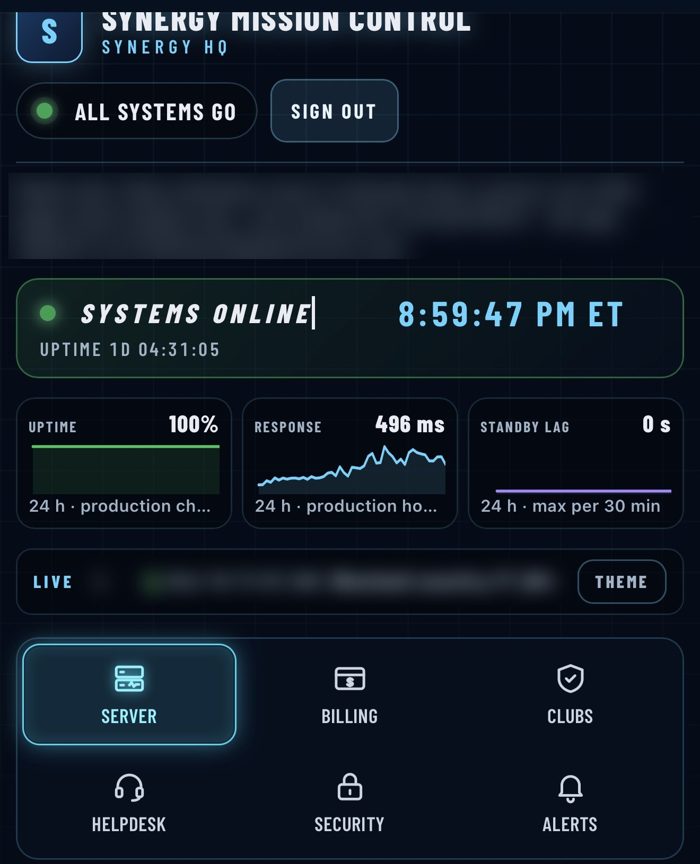
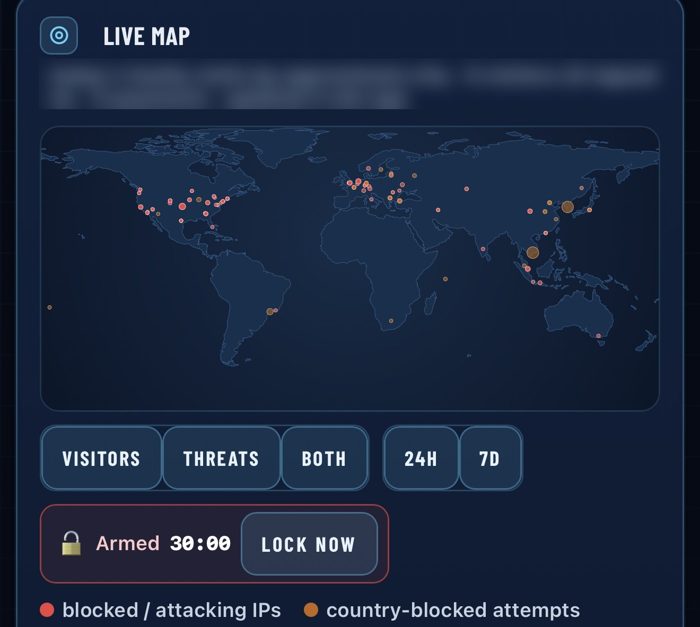
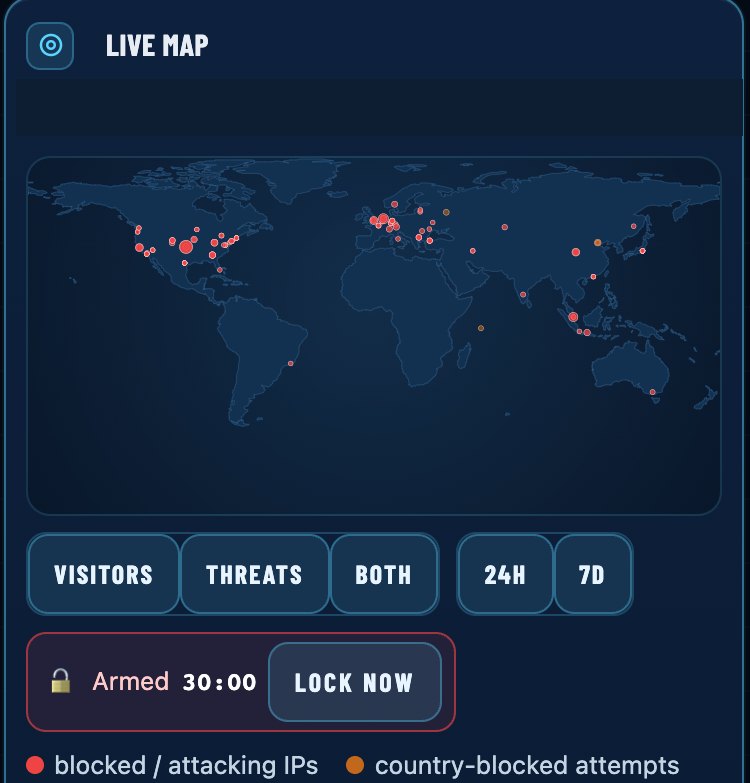
Real Mission Control captures. Every dot is a blocked attempt; tap one to see it and act. Identifying details are blurred.
Synergy Sentinel
Self-healing, watched around the clock
The platform spots stalled services and database hiccups and repairs them automatically, then logs every fix. What it can't safely fix is flagged to our team.
AI-assisted checks
Simulated families, every sport, every day
Automated test families sign up, pick programs, fill in forms and pay with test cards, so real families don't hit the snags.
Morning auto-fixes
Make it easier, fixed every morning
Each morning the usability snags they found are worked through and fixed, tested on staging first before they go live.
Live threat map
See attacks, block in one tap
Blocked attempts light up on a world map. Tap one to block it, with a Face ID check first.
Mission Control
A command center for your club's platform
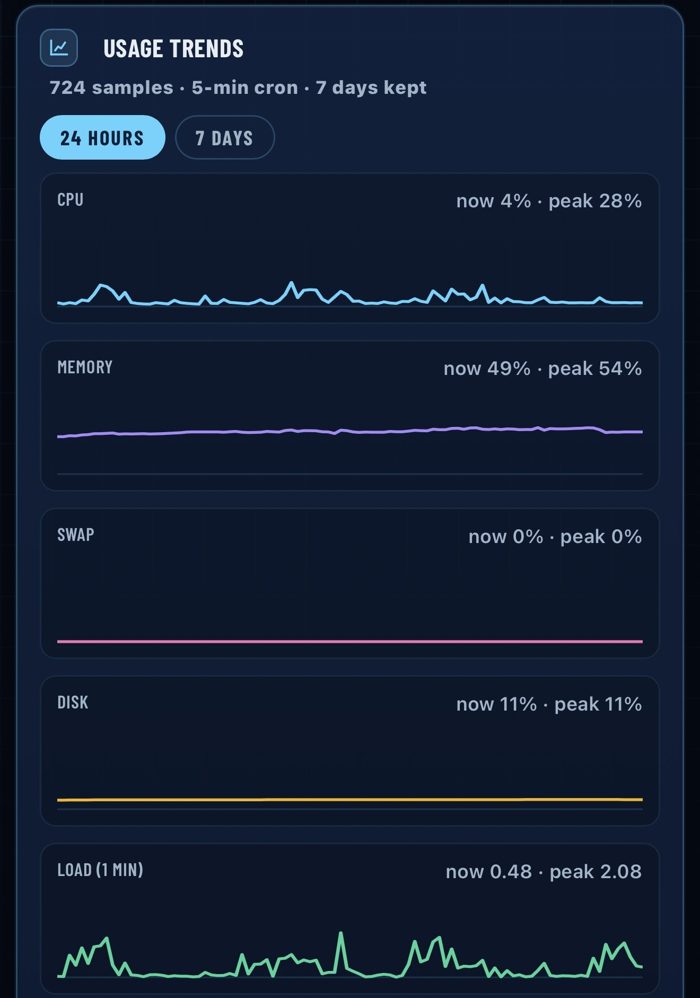
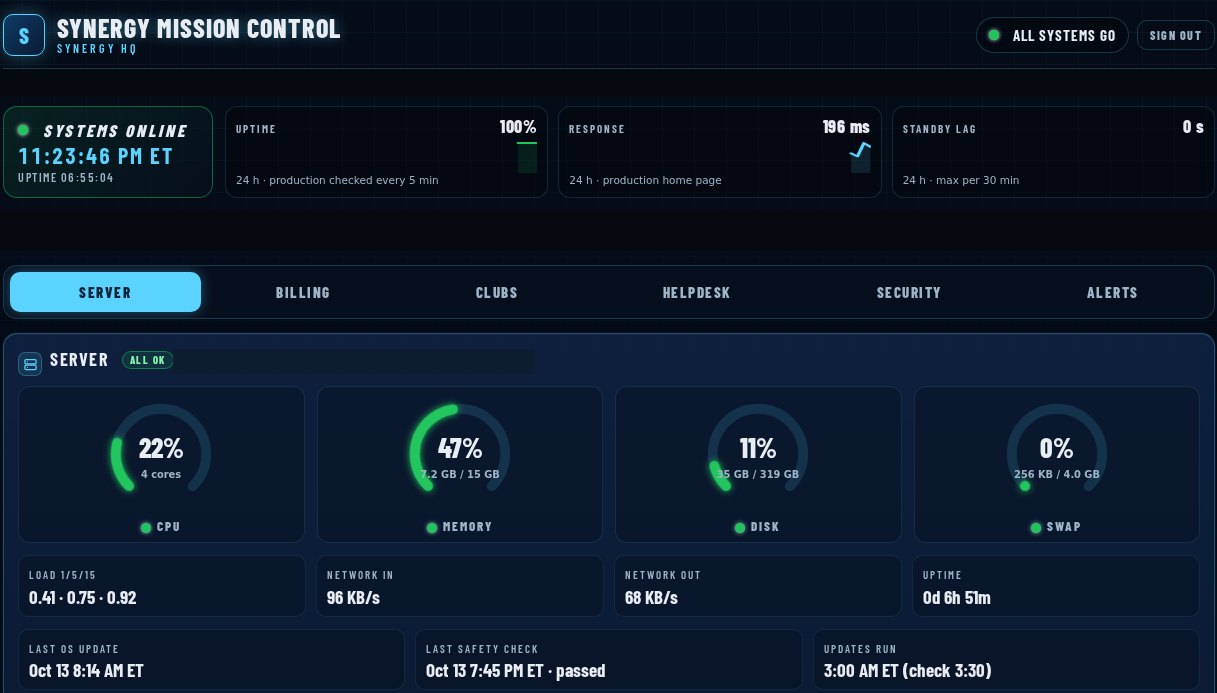
Glowing status lights, health gauges, trend charts and a live feed of every backup, repair and alert.
Smart waitlist
Auto-promotes and sends a Pay link
When a spot opens, the next family on the waitlist gets an offer email with a Pay link. Their deposit lands in billing.
One system, one login. Sentinel, Mission Control, security and the waitlist all run on the same platform as your club site.
Self-healing & AI-assisted checks
Synergy Sentinel
Sentinel finds problems and fixes them, often before anyone notices. It covers three jobs: a self-healing server, AI-assisted daily checks with simulated families across every sport, and a daily "Make it easier" auto-fix.
Self-healing server
The platform watches its own services and database around the clock. When something stalls or drifts, it detects it and repairs it automatically, restarting what's stuck and logging every fix. Anything it can't safely fix on its own is flagged to our team.
AI-assisted daily checks
Every day, automated simulated families go through the club sites for every sport we support: signing up, picking programs, filling in forms and paying with test cards. Where they stumble, the problem goes on a "Make it easier" list.
"Make it easier", fixed every morning
Every morning an automated workflow works through the "Make it easier" suggestions the simulated families found and applies the fixes. Each fix is tested on a staging copy of the platform first, and only then reaches your live site. Your club gets a little smoother every day, and your families never have to be the testers.
Mission Control
One screen shows how everything is running
Our command center watches every club site, every few minutes, all day. If something drifts, we see it before your families do.
- Live status lights. Green when it's healthy. Anything else gets attention right away.
- Health gauges and trend charts. Speed, uptime and server load, with history to spot trouble early.
- A live activity feed. Every backup, automatic repair and alert, as it happens.
- A single health score. One number that sums up how the whole platform is doing.
Reliability & backups
Built to keep running, and to recover fast
You shouldn't have to think about servers. We do it so you don't have to.
Nightly off-site backups
Your club's data is copied every night to Amazon AWS cloud storage, away from the main server. We test restores, so a backup is something we know works.
Standby server
A second server stays in sync and ready, so we can fail over if the main one ever goes down.
Database watchdog
The database that holds your rosters, sign-ups and payments is checked around the clock and repaired automatically if it hiccups.
Code snapshots
Every night the platform's code is saved with its full version history and backed up off-site, so any change can be rolled back.
Changes tested first
Updates go to a test copy of the platform first. Your live club site only gets a change once it has passed there.
Security
See the threats. Stop them in one tap.
Every club site is guarded around the clock. Attack attempts are blocked automatically and plotted on a live map, so nothing happens out of sight.
- Threat map. Blocked attempts show up as dots on a world map. Tap one to see what it tried, then block it with one tap.
- Country filtering. At the platform level, we can shut out traffic from regions that have no business reaching your club. Blocked attempts still show on the map.
- Face ID to confirm. Our security actions need a quick Face ID or password check, so nobody can make changes from an unlocked phone.
- Quiet, useful alerts. Routine bot traffic is handled silently. Email only goes out for real attacks.
Sign-up wizard
Simple, clean sign-up. One step at a time.
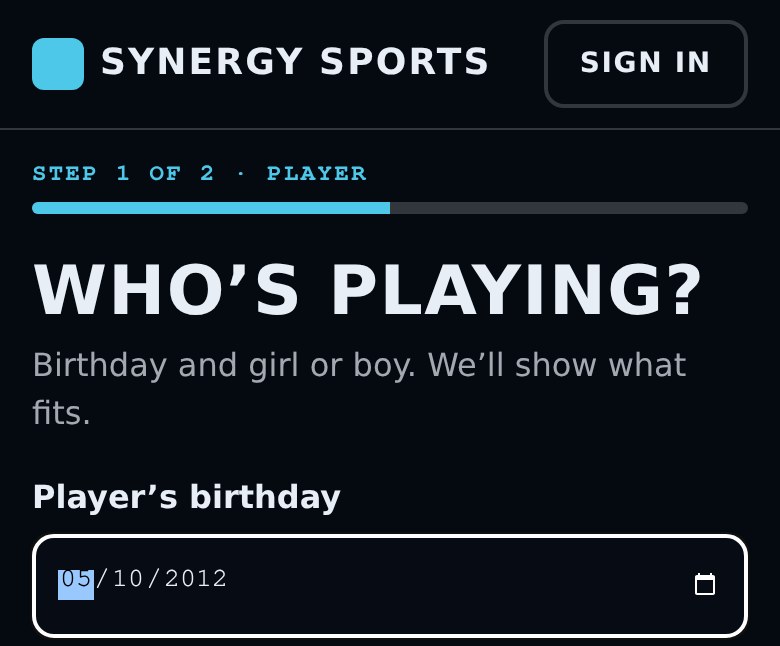
Families don't face a long form. They get one question per screen, starting with the player's age, and only see the programs that fit.
- Age first. Birthday up front, so every option after that fits the player.
- One step per screen. Clear progress bar, big buttons, easy on a phone.
- One wizard for everything. Tryouts, leagues, open gym and club season all go through the same flow.
- Fast. Rebuilt to be lightweight, so it loads quickly even on a weak signal at the gym.
Tryouts & offers
Tryouts are for a spot. Offers handle the rest.
Synergy follows how clubs really fill teams. Families pay a tryout fee for a chance at a spot, and the team price only comes once you offer one and they accept.
- Your tryout fee. Set the fee that fits your club.
- Offer only or open sign-up. Each program has its own setting. Club teams can be offer only, while leagues and open gym stay open to anyone.
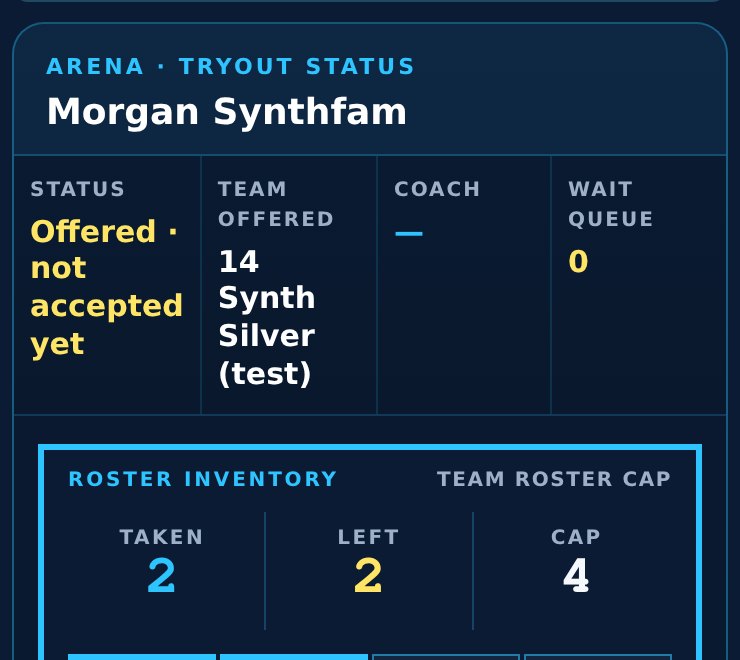
- Offer links with a live roster count. Families see how many spots are taken, how many are left, and the team cap.
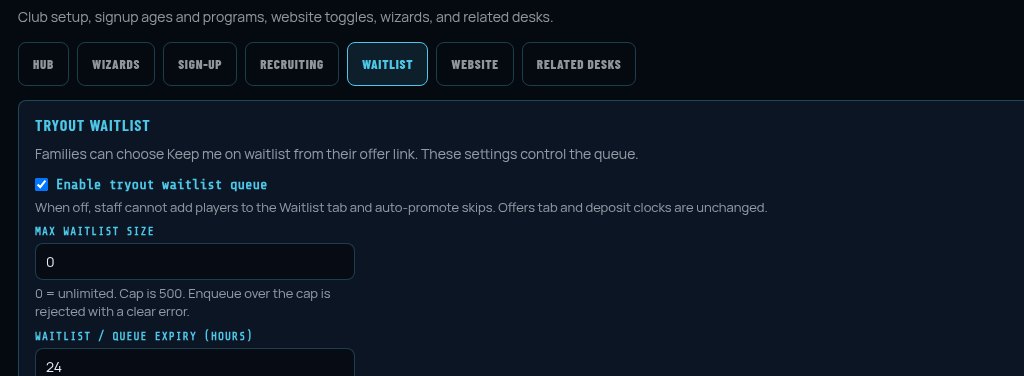
- Waitlist with auto-promote. A family can choose "Keep me on waitlist". When a spot opens, the next family gets an offer email with a Pay link.
- Deposits land in billing. Every offer deposit is recorded with the rest of your payments, once.
Payments
Payments, built in
Runs on Stripe
Club payments run on Stripe, so card handling sits with a payment company built for it.
Designed for autopay
The platform is designed around saved cards and scheduled installments, so families aren't chased for every payment.
Payment plans
Programs can be set up for pay in full or monthly payments, program by program.
Support
Real answers, live chat, and a helpdesk behind it
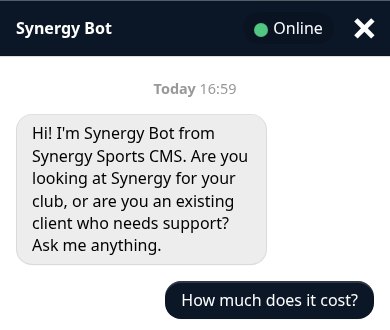
Have a question about Synergy? Open the chat on our site. It answers common questions right away and hands anything else to a person. Every conversation becomes a helpdesk ticket, so nothing gets lost.
- Live chat. Answers about features, sports and plans, any time of day.
- Helpdesk tickets. Every question is tracked until it's answered.
- A person when you need one. Billing, logins and anything tricky go straight to our team.
See it running on a real club site
We'll walk you through the platform live, Mission Control included.